BeamTPS
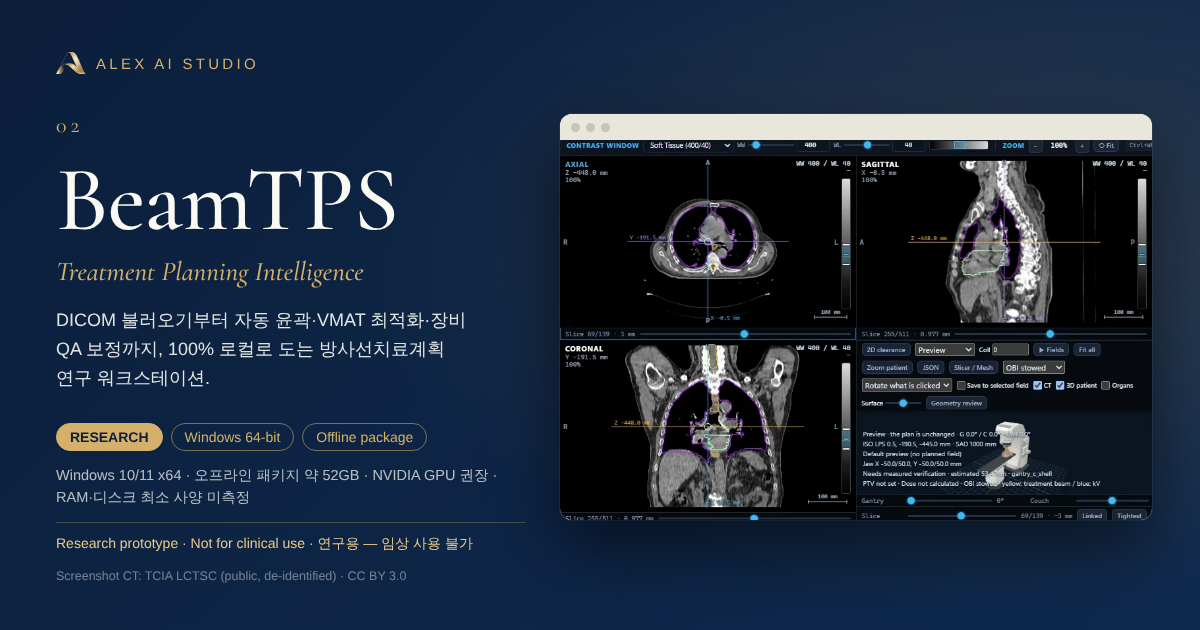
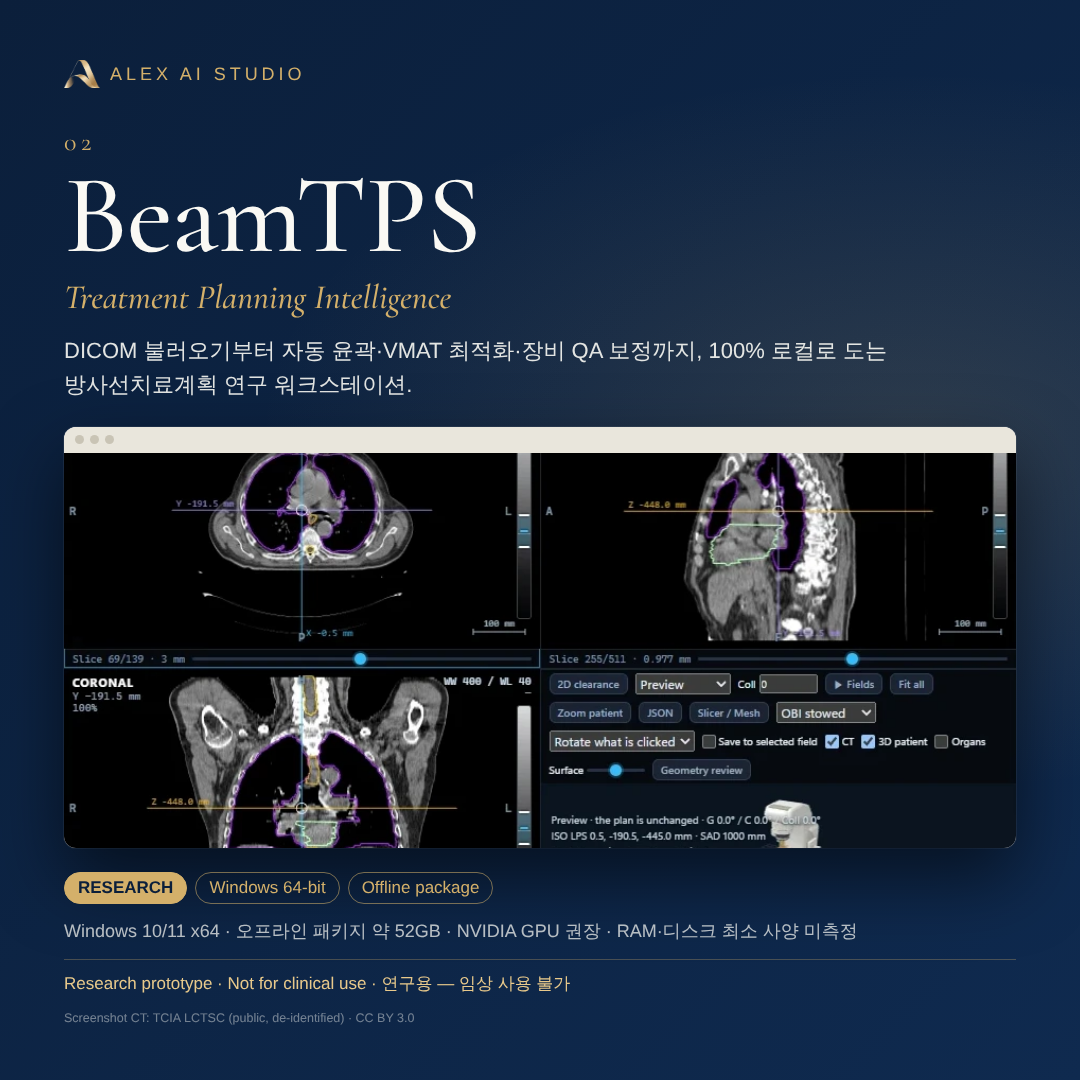
DICOM 불러오기부터 자동 윤곽·VMAT 최적화·장비 QA 보정까지, 100% 로컬로 도는 방사선치료계획 연구 워크스테이션.A local-only radiotherapy planning research workstation — from DICOM import to auto-contouring, VMAT optimisation and machine-QA correction.
- RESEARCH
- Windows 64-bit
- Offline package
왜 만들었나Why it exists
치료계획은 영상 분석, 윤곽 그리기, 목표 설정, 빔 구성, 최적화, 평가로 이어지는 긴 사슬입니다. BeamTPS는 이 사슬 전체를 한 화면의 9단계로 묶고, 각 단계가 어디까지 믿을 만하고 어디부터 아닌지를 화면마다 솔직하게 표시하는 연구용 워크스테이션입니다. 환자 데이터는 기기 밖으로 나가지 않습니다.Treatment planning is a long chain — image analysis, contouring, targets, beams, optimisation, evaluation. BeamTPS puts the whole chain into nine steps on one screen and states honestly, at every step, where the result is trustworthy and where it is not. Data never leaves the machine.
핵심 기능What it does
- 9단계 워크플로 — Import → Analyse → Auto-select → Auto-contour → Targets → Beams → RapidPlan → Optimise → Evaluate, 그리고 Auto Plan 한 번에 실행Nine-step workflow from Import to Evaluate, plus one-click Auto Plan
- 자동 윤곽 — 모델 가중치 없이 도는 고전 CT 레시피 + 선택형 딥러닝(TotalSegmentator·nnU-Net), 결과마다 충실도 라벨과 부피 타당성 검사Auto-contouring — classical CT recipes (no weights) plus optional deep-learning backends, each result labelled with fidelity
- 선량 계산 — 방사선학적 경로 길이를 쓰는 convolution-superposition 엔진, IEC 61217 갠트리 규약Dose engine — convolution-superposition with radiological path length, IEC 61217 gantry convention
- 지식기반 계획 — 해부 구조에서 달성 가능한 OAR DVH를 추정해 최적화 목표로 변환Knowledge-based planning — estimates achievable OAR DVHs and turns them into objectives
- 온디바이스 AI 어시스턴트 — 사람이 쓰는 것과 같은 세션을 수십 개의 도구로 조작, 모든 호출은 감사 기록에 남고 ‘계획 승인’ 도구는 존재하지 않음On-device assistant — drives the same session through dozens of tools, fully audit-logged, with no approval tool at all
- 텔레메트리·CDN·웹폰트·외부 모델 API 없음. 외부 LLM은 코드로 차단(명시적 허용 시에만)No telemetry, CDN, web fonts or model API. Hosted LLMs are blocked unless a site explicitly opts in
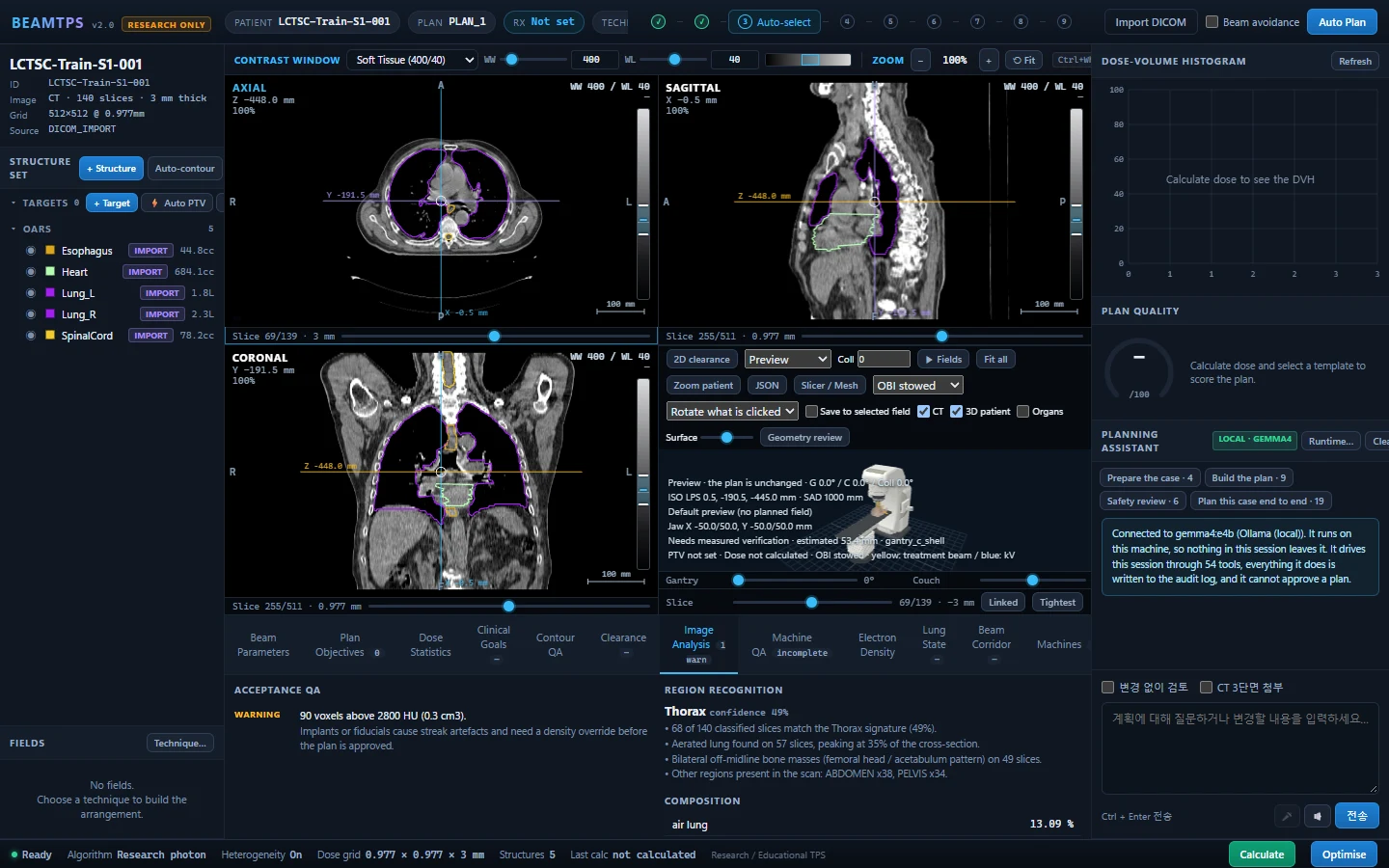
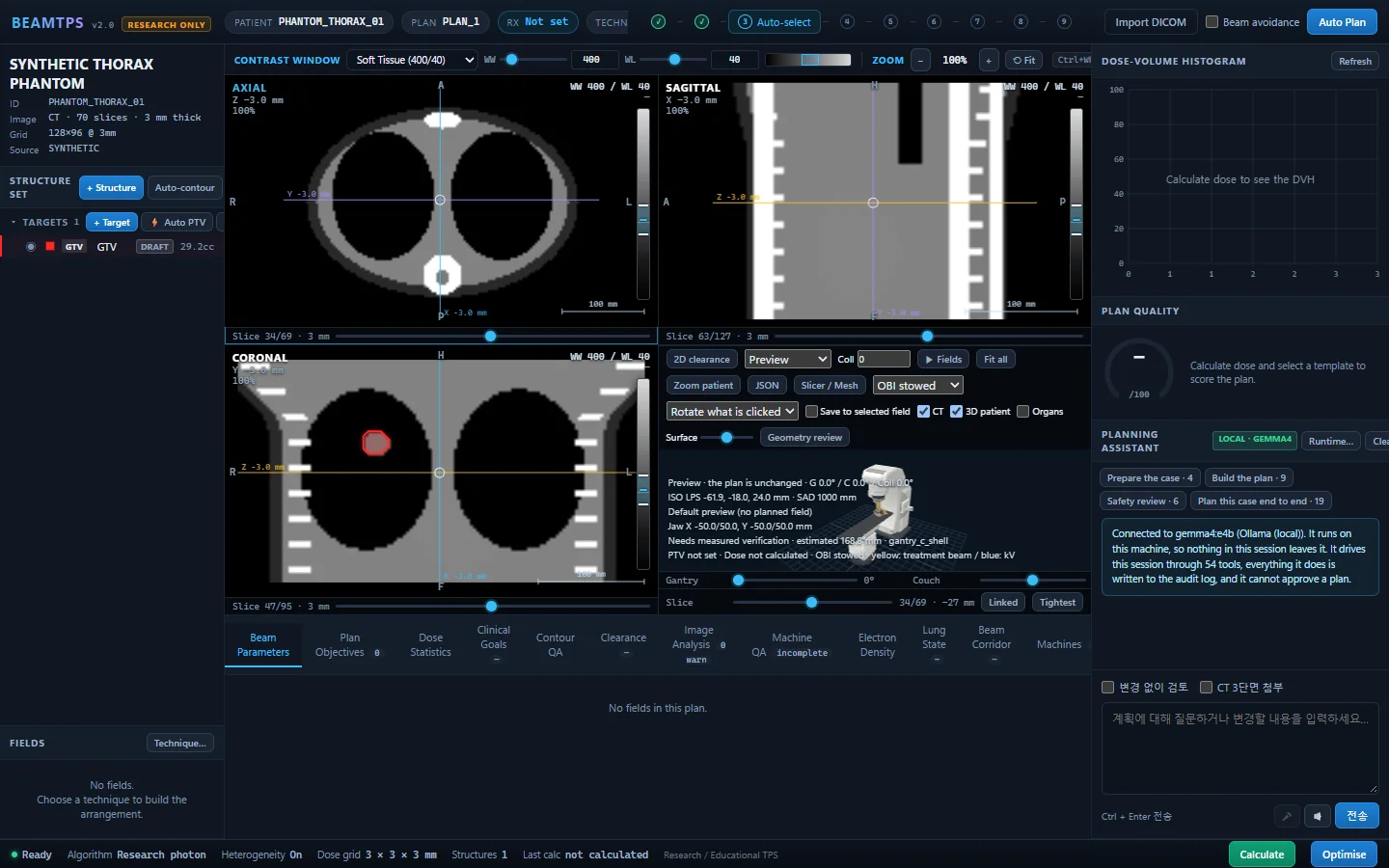
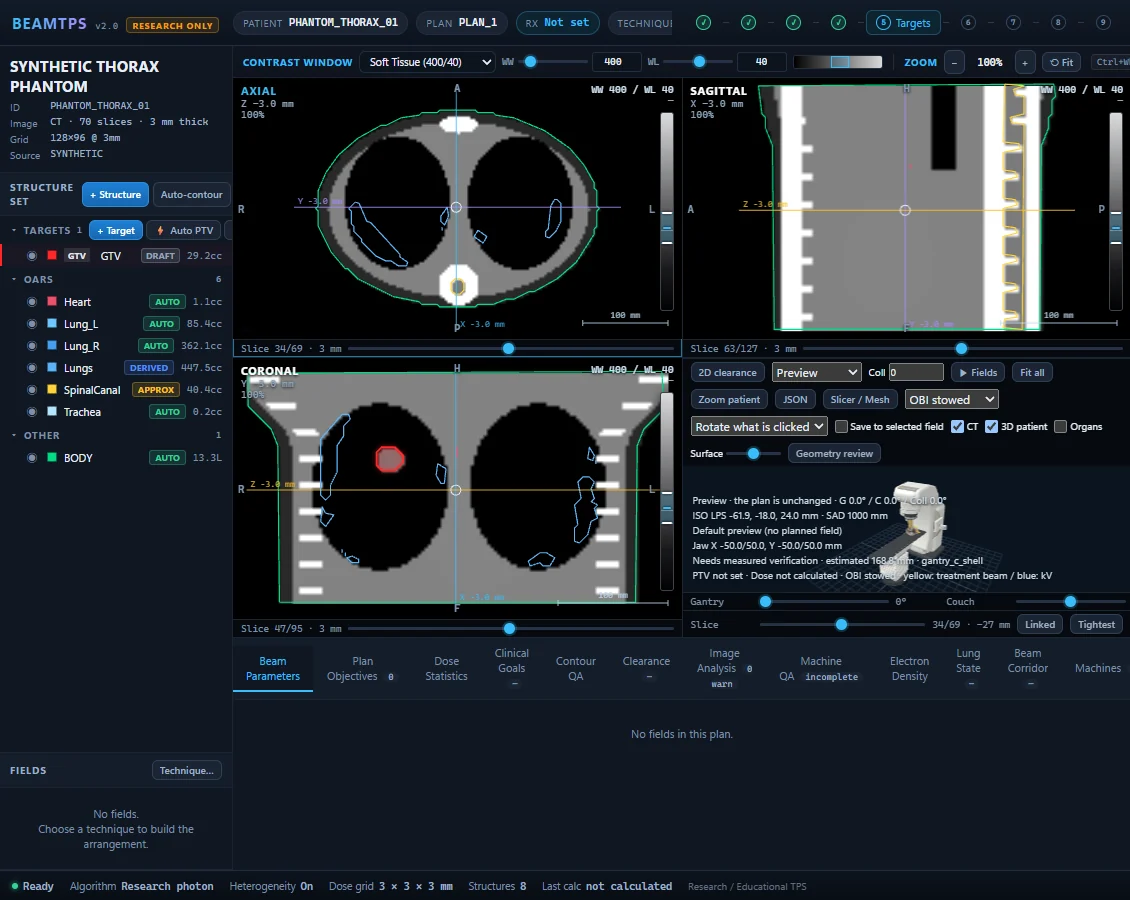
실제 화면Real screens
개발 중인 프로그램을 실제로 실행해 캡처한 화면입니다. 클릭하면 크게 볼 수 있어요.Captured from the running program. Click to enlarge.
설치 최소 사양Minimum requirements
| 배포 형태Distribution | Windows 오프라인 ZIP 패키지(약 52GB). 압축을 풀고 BeamTPS.exe로 실행하는 연구용 워크스테이션Windows offline ZIP package (about 52 GB). Unzip and run BeamTPS.exe — a research workstation |
|---|---|
| 운영체제OS | Windows 10/11 64-bitWindows 10/11 64-bit |
| 디스크 여유 공간Disk space | ZIP 보관 + 압축 해제 공간이 모두 필요합니다 — ZIP 크기의 2배 이상(약 110GB 이상) 권장 (추정, 미측정)Room for the ZIP plus its extracted copy — at least 2× the ZIP (110 GB+) recommended (estimate, not measured) |
| 소프트웨어Software | 웹 브라우저(로컬 서버 접속) · Windows 런처는 .NET Framework 필요A web browser (local server); the Windows launcher needs .NET Framework |
| AI 어시스턴트(선택)Assistant (optional) | Ollama + 로컬 모델. 개발 PC에서는 gemma4:e4b 사용Ollama + a local model (gemma4:e4b on the development PC) |
| 자동 윤곽(선택)Deep contouring (optional) | TotalSegmentator + CUDA 지원 NVIDIA GPU 권장TotalSegmentator; CUDA-capable NVIDIA GPU recommended |
| 세션 저장(선택)Session save (optional) | 로컬 PostgreSQLLocal PostgreSQL |
| 최소 RAMMinimum RAM | 미측정 — 개발 PC(RAM 32GB)에서만 검증했습니다Not measured — validated only on the development PC (32 GB RAM) |
개발·검증 환경: Python 3.12, PyTorch(CUDA), NVIDIA RTX 4070 Laptop GPU 8GB VRAM, Intel Core i9-14900HX, RAM 32GB.Development environment: Python 3.12, PyTorch (CUDA), NVIDIA RTX 4070 Laptop GPU with 8 GB VRAM, Core i9-14900HX, 32 GB RAM.
시작하기Getting started
ZIP(약 52GB)을 모두 풀고 폴더 안의 BeamTPS.exe를 실행하세요. 실행·종료 방법은 폴더의 RUN_BEAMTPS.md를 참고하세요. 브라우저에서 로컬 서버(127.0.0.1)로 열립니다.Extract the whole ZIP (about 52 GB) and run BeamTPS.exe in the folder. See RUN_BEAMTPS.md for start/stop details. It opens in your browser from a local server (127.0.0.1).
- 스크린샷의 환자 CT는 TCIA의 공개·비식별 LCTSC 데이터(CC BY 3.0, Yang J. et al., 2017, doi:10.7937/K9/TCIA.2017.3R3FVZ08)입니다. 사이트 소유자의 환자 자료가 아닙니다.The patient CT in screenshots is public, de-identified TCIA LCTSC data (CC BY 3.0; Yang J. et al., 2017, doi:10.7937/K9/TCIA.2017.3R3FVZ08) — not the studio owner's patient data.
| 로컬 처리Local processing | 예 — 모든 계산·AI가 기기 안에서 실행Yes — all computation and AI run on the device |
|---|---|
| 외부 전송External transmission | 없음 (텔레메트리·CDN·외부 모델 API 없음)None (no telemetry, CDN or model API) |
| 환자 데이터Patient data | 연구 목적 — 예시 화면은 공개 비식별 데이터(TCIA LCTSC). 임상 환자 계획용으로 준비되지 않음Research use — demo screens use public de-identified data (TCIA LCTSC). Not prepared for clinical patient planning |
내려받기Get it
- Version
- 2.0.0
- 운영체제OS
- Windows 10/11 x64
- 형태Type
- ZIP · offline package
- 파일File
- BeamTPS-2.0.0-Windows-Offline-20261003.zip
- 크기Size
- 51.99 GB
- 업데이트Updated
- 2026-10-03
- SHA256
- 게시 예정to be published
Google Drive 페이지가 열립니다. 대용량 파일은 ‘바이러스 검사를 할 수 없음’ 안내가 나올 수 있으며, 이 경우 ‘무시하고 다운로드’를 누르세요. 접속이 몰리면 일시적으로 다운로드가 제한될 수 있습니다.This opens a Google Drive page. For large files Drive may say it cannot scan for viruses — choose “Download anyway”. Downloads can be temporarily limited when traffic is high.
ZIP(약 52GB)을 모두 풀고 폴더 안의 BeamTPS.exe를 실행하세요. 실행·종료 방법은 폴더의 RUN_BEAMTPS.md를 참고하세요. 브라우저에서 로컬 서버(127.0.0.1)로 열립니다.Extract the whole ZIP (about 52 GB) and run BeamTPS.exe in the folder. See RUN_BEAMTPS.md for start/stop details. It opens in your browser from a local server (127.0.0.1).
홍보글 · 카드Post & card
그대로 복사해서 올릴 수 있는 짧은 홍보글과 공유용 카드입니다.A short post you can copy as-is, with share-ready cards.
🎯 BeamTPS — 100% 로컬 방사선치료계획 연구 워크스테이션

DICOM 불러오기 → 자동 윤곽 → VMAT 최적화 → 평가까지 9단계를 한 화면에. 환자 데이터는 기기 밖으로 나가지 않고, 로컬 AI 어시스턴트는 사람과 같은 세션을 조작하되 ‘계획 승인’ 권한은 없습니다.

✔ Windows 오프라인 패키지(약 52GB) — 설치 후 인터넷 없이 실행
✔ 텔레메트리·CDN·외부 모델 API 없음
✔ 결과마다 신뢰 범위를 솔직하게 표시
⚠ 연구·교육용 — 임상 사용 불가

#BeamTPS #방사선치료 #치료계획 #로컬AI #ALEXAISTUDIO
🎯 BeamTPS — a 100% local radiotherapy planning research workstation

Nine steps on one screen, from DICOM import to auto-contouring, VMAT optimisation and evaluation. Data never leaves the machine, and the local AI assistant drives the same session as a planner — without any power to approve a plan.

✔ Windows offline package (~52 GB) — runs without internet
✔ No telemetry, CDN or hosted model API
✔ Honest trust ranges on every result
⚠ Research & teaching only — not for clinical use

#BeamTPS #RadiationOncology #LocalAI #ALEXAISTUDIO