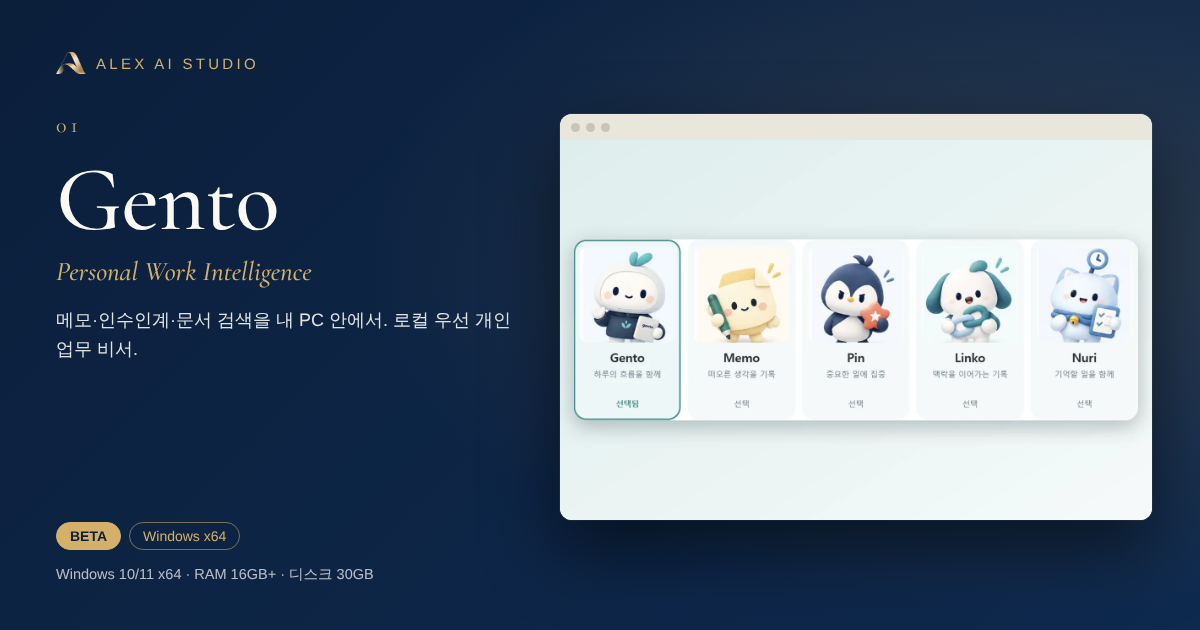
Gento
메모·인수인계·문서 검색을 내 PC 안에서. 로컬 우선 개인 업무 비서.Notes, handoff and document search — a local-first personal work assistant.
- BETA
- Windows x64
왜 만들었나Why it exists
업무 중 떠오른 메모, 사진으로 받은 근무표, 흩어진 문서 속 근거, 다음 사람에게 넘겨야 할 인수인계. 이런 것들이 여러 곳에 흩어져 있으면 필요한 순간에 찾지 못합니다. Gento는 이 모든 기록을 한 작업공간에 모으고, 내 PC에서 돌아가는 AI가 찾아주고 정리해 주는 비서입니다.Quick notes, a roster received as a photo, evidence buried in documents, handoffs for the next person — scattered records are hard to find when you need them. Gento gathers them into one workspace and lets an AI running on your own PC find and organise them.
핵심 기능What it does
- 메모 + 사진 — Ctrl+V 붙여넣기·끌어놓기, 카테고리와 템플릿, 포스트잇 ‘붙여두기’Notes + photos — paste or drag in images, categories, templates and sticky-note pinning
- 인수인계 — ‘확인 필요’ 표시와 미확인 배지, 달력으로 메모 찾기, 인계 내용·관련 기록을 원문과 함께 확인Handoff — ‘needs review’ flags, calendar lookup, and related records shown next to the original text
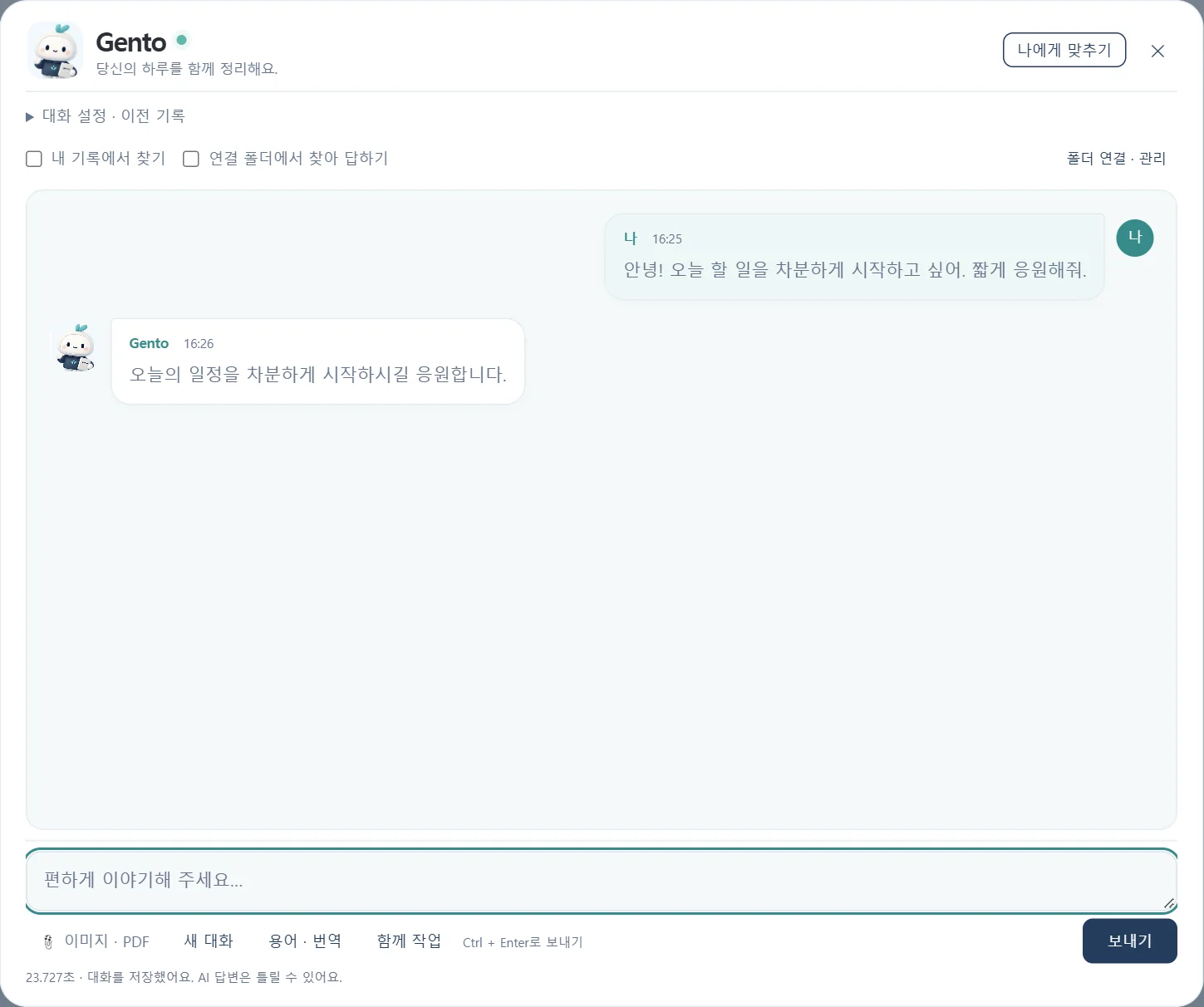
- 비서와 대화 — 로컬 AI(기본 Qwen3.5 4B, 빠른 2B 선택)로 글자 추출·요약·번역, 말투·업무 방식 설정Assistant chat — local AI (Qwen3.5 4B by default, faster 2B optional) for extraction, summary and translation
- 한국어 이미지 OCR — PaddleOCR 한국어 모델을 CPU에서 로컬 실행, 원본 좌표·파일 해시 보존Korean image OCR — PaddleOCR runs locally on CPU, keeping original coordinates and file hashes
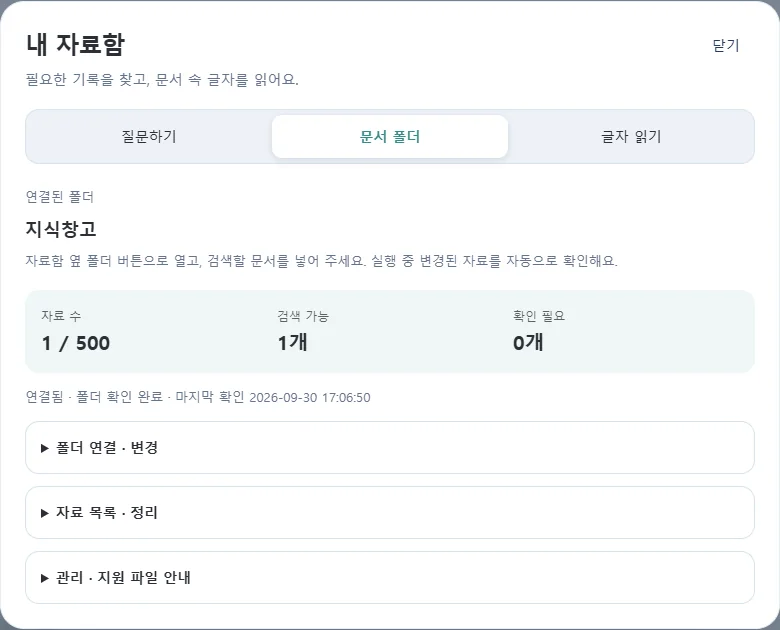
- 자료 폴더 검색 — PDF·DOCX·XLSX·TXT/MD/CSV·이미지, 답변 근거를 원본 열기로 확인Folder search — PDF, DOCX, XLSX, text and images, with ‘open original’ for every answer
- 알림·사용자 전환 — 반복 알림(서울 기준), 사용자별 작업공간 분리Reminders and user switching — recurring alerts and separate per-user workspaces
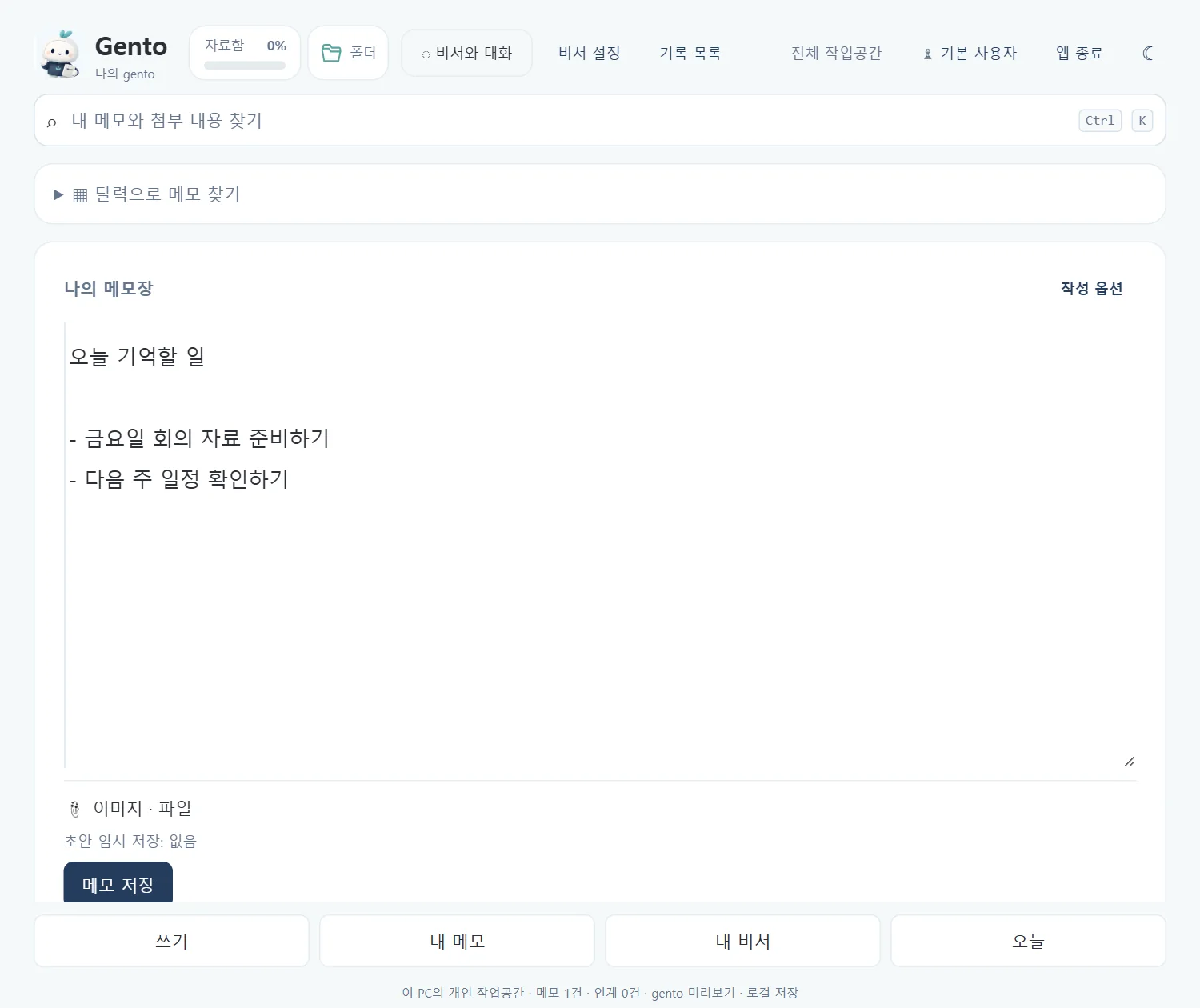
실제 화면Real screens
개발 중인 프로그램을 실제로 실행해 캡처한 화면입니다. 클릭하면 크게 볼 수 있어요.Captured from the running program. Click to enlarge.

설치 최소 사양Minimum requirements
| 운영체제OS | Windows 10 (1809 이상) 또는 Windows 11, Intel/AMD x64Windows 10 (1809+) or Windows 11, Intel/AMD x64 |
|---|---|
| 메모리(RAM)Memory | 최소 16GB · 권장 32GB16 GB minimum · 32 GB recommended |
| 디스크 여유 공간Disk space | 30GB 권장 (ZIP 보관 + 압축 해제 + 설치)30 GB recommended (ZIP + extraction + install) |
| 그래픽/GPUGPU | 필수 아님. 기본은 CPU 실행, 설정에서 NVIDIA GPU 선택 가능Not required. CPU by default; NVIDIA GPU selectable in settings |
| 함께 필요한 것Also needed | 기본 웹 브라우저, .NET Framework 4.xA default web browser, .NET Framework 4.x |
| 별도 설치Extra installs | Python · Ollama · 대화 모델 · OCR 모델 모두 포함 — 따로 설치하지 않아도 됩니다Python, Ollama, chat model and OCR model are bundled — nothing else to install |
검증은 개발 PC(Intel Core i9-14900HX · RAM 32GB · RTX 4070 Laptop) 기준입니다. 다른 PC의 OCR·AI 응답 속도는 다를 수 있습니다.Verified on the development PC (Core i9-14900HX, 32 GB RAM, RTX 4070 Laptop). OCR and AI response speed on other PCs may differ.
시작하기Getting started
ZIP을 모두 풀고 gento-Setup-0.25.5-preview-x64.exe를 실행하세요. exe와 bin 파일은 같은 폴더에 두어야 합니다. 설치 후 기본 브라우저에 메모장이 열립니다.Extract the whole ZIP and run gento-Setup-0.25.5-preview-x64.exe. Keep the exe and the bin files in the same folder. After installing, the notepad opens in your default browser.
- AI 답변과 OCR 결과(이름·작은 글자)는 틀릴 수 있습니다. 중요한 내용은 ‘원본 열기’로 확인하세요.AI answers and OCR output (names, small text) can be wrong. Check the original for anything important.
- 코드 서명 전 미리보기 설치본입니다. Windows SmartScreen 경고가 나타날 수 있으니, 함께 제공되는 SHA256으로 파일 무결성을 확인하세요.This is an unsigned preview build. Windows SmartScreen may warn — verify the file with the published SHA256.
| 데이터 저장Data storage | 이 PC (%LOCALAPPDATA%\Gento)On this PC (%LOCALAPPDATA%\Gento) |
|---|---|
| AI·OCR 실행AI / OCR | 설치본에 포함된 로컬 모델Bundled local models |
| 사용자 분리Users | 사용자별 폴더 분리 (암호로 접근을 막지는 않음)Separate folders per user (not password-protected) |
내려받기Get it
- Version
- 0.25.5-preview
- 운영체제OS
- Windows 10/11 x64
- 형태Type
- ZIP · offline installer
- 파일File
- gento-0.25.5-preview-windows-x64.zip
- 크기Size
- 6.59 GB
- 업데이트Updated
- 2026-10-03
- SHA256
- 0db4ed2f65ed45b4e24cd94d7bbbbc8d2d9170c2460153300d9ef714cdd4bd78
Google Drive 페이지가 열립니다. 대용량 파일은 ‘바이러스 검사를 할 수 없음’ 안내가 나올 수 있으며, 이 경우 ‘무시하고 다운로드’를 누르세요. 접속이 몰리면 일시적으로 다운로드가 제한될 수 있습니다.This opens a Google Drive page. For large files Drive may say it cannot scan for viruses — choose “Download anyway”. Downloads can be temporarily limited when traffic is high.
내려받은 파일이 맞는지 확인하려면 PowerShell에서:To verify your download, in PowerShell run:Get-FileHash .\gento-0.25.5-preview-windows-x64.zip -Algorithm SHA256
출력된 해시가 위 SHA256과 같아야 합니다.The hash must match the SHA256 above.
홍보글 · 카드Post & card
그대로 복사해서 올릴 수 있는 짧은 홍보글과 공유용 카드입니다.A short post you can copy as-is, with share-ready cards.
📝 Gento — 내 PC 안에서 돌아가는 개인 업무 비서

메모, 사진 속 글자, 인수인계, 흩어진 문서까지 한곳에. 한국어 이미지 OCR과 로컬 AI가 근거와 함께 찾아 답해 줍니다. 설치본에 AI·OCR 모델이 모두 포함되어 따로 준비할 것이 없어요.

✔ 메모·사진·인수인계 한 작업공간
✔ 한국어 OCR + 문서 폴더 검색 (원본 열기로 근거 확인)
✔ Windows 10/11 x64 · RAM 16GB+ · 오프라인 설치

#Gento #개인업무비서 #로컬AI #OCR #ALEXAISTUDIO
📝 Gento — a personal work assistant that lives on your PC

Notes, text inside photos, handoffs and scattered documents in one place. Korean image OCR and a local AI find answers with evidence you can open. AI and OCR models are bundled — nothing else to set up.

✔ Notes, photos and handoff in one workspace
✔ Korean OCR + folder search with ‘open original’
✔ Windows 10/11 x64 · 16 GB+ RAM · offline installer

#Gento #LocalAI #OCR #ALEXAISTUDIO